
If people ask how you edit your photos, you already have a product. Lightroom presets let a buyer apply your look in one click, and they’re small files that cost almost nothing to deliver. Here’s how to package them, show them off and sell them from your own website.
Build a pack, not a single preset
Buyers like choice. A pack is a group of presets around one look or subject: warm film tones, moody portraits, clean real estate interiors, bright weddings.
Before you export, test every preset on photos you didn’t make it for. Try shots from different cameras, in different light, and at least one photo from a phone. A preset that only works on your own camera’s files will bring you refund requests.
Export the right files
Modern Lightroom presets are .xmp files. Lightroom Classic and the Lightroom desktop app both read them. Older versions of Lightroom Classic used .lrtemplate files, and a few buyers are still on one, so some sellers include both.
For buyers who edit on their phones with the free Lightroom mobile app, the usual approach is a set of DNG files: one photo per preset with the edit saved in it. The buyer opens the DNG in the app, copies its settings and saves them as a preset.
A typical pack ships as one zip file with:
- A folder of
.xmppresets for desktop - A folder of DNG files for mobile
- A short PDF with install steps for both
Write install steps
Installing is where most buyers get stuck. Your PDF should say, in a few lines for each app, where to click. In Lightroom Classic, that’s the plus button at the top of the Presets panel in the Develop module, then Import Presets. In the Lightroom desktop app, it’s File > Import Profiles & Presets. Add a couple of screenshots and you’ll save yourself a lot of replies.
Show before and after
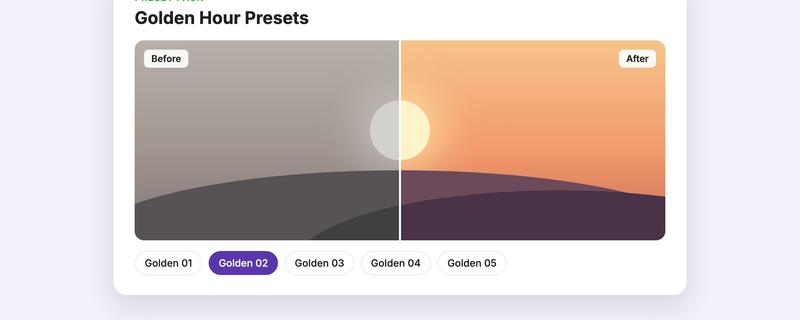
Nobody buys a preset they can’t see. Put before and after pairs on your product page, using a range of photos, and say which photos are yours and which came from other photographers. A short screen recording of you applying the preset works too.
Price it, and bundle it
What you charge depends on how many presets are in the pack and how well known your work is, so look at what photographers with a similar following charge. Once you have a few packs, a bundle of all of them at a lower price gives buyers a reason to spend more. Bundles use the same files as the packs in them, so you don’t upload anything twice.
Send updates
You’ll tweak presets, add new ones and fix one that didn’t play nicely with a camera. When you upload a new zip, DPD can send a product update with fresh download links to everyone who bought, or only to people who bought within a time frame you choose. Free updates are a nice thing to promise on your product page.
Sell from your own site
Your presets sell best next to your photos, on your own site or portfolio. With DPD you can add product cards, add to cart buttons and a cart to any page, and buyers go from your page straight to checkout. If you mostly sell through Instagram, every DPD product also gets a hosted product page you can put in your bio.
See how it looks on our demo page, and see selling presets with DPD for the rest.
What it costs
DPD plans start at $10 a month with no fee per sale. You pay your payment processor directly, and you keep the rest. Sellfy, a common pick for creators, has plans from $29 to $159 a month. Our Sellfy comparison lays the two side by side.
Questions people ask
Can I sell presets for Photoshop or Capture One too?
Yes. DPD delivers any file type, so you can sell Camera Raw presets, Capture One styles, LUTs or Photoshop actions the same way. Our article on making money with Photoshop has more ideas.
Should I offer a free preset?
It’s a good way to grow your email list. Give one preset away in exchange for an email address, then let people know when you release a paid pack.
What about refunds?
Digital products can’t be returned, so write your refund policy on your product page. Clear before and after photos and good install steps do more to prevent refunds than any policy does.