Give your team their own logins
Add team members who can handle orders or products, without access to billing or store settings.
Start your free trial See pricing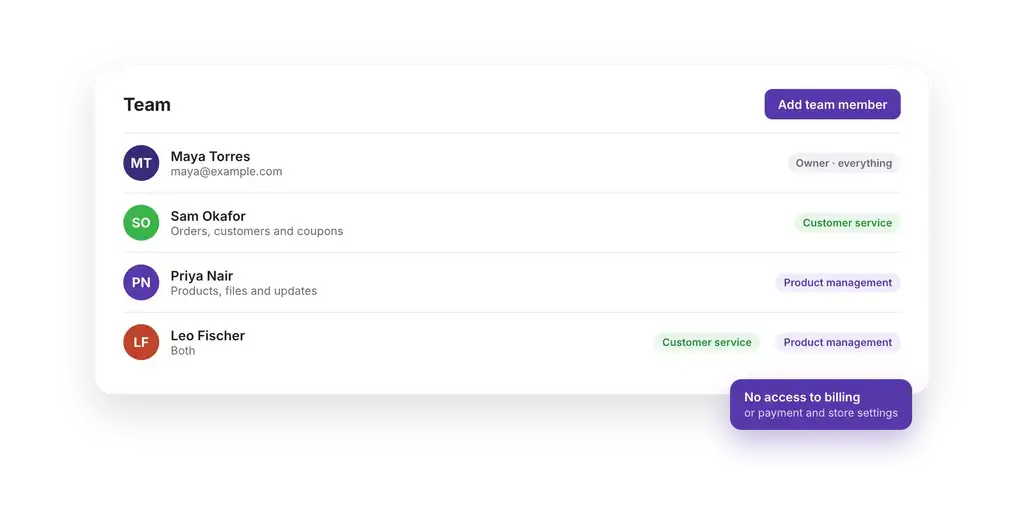
Sharing your DPD password with an assistant or a bookkeeper means giving them everything, including your billing and payment settings. Team access gives each person their own login, with only the access their job needs.
Two kinds of access
Give each team member one or both of these:
| Permission | What they can do |
|---|---|
| Customer service | Look up orders and customers, and manage coupons |
| Product management | Create, edit and delete products, add or replace files and keys, send product updates and free downloads |
Neither permission includes your billing, your payment processor details or your store settings. Those stay with you.
Who it’s for
- An assistant answering “where’s my download?” emails, who can find the order and resend it
- A product manager who adds new products and uploads new versions
- A bookkeeper who needs to look up orders, not your password
You can add as many team members as you need. If one leaves, remove their login, and nothing else changes.
Questions
How many team members can I add?
As many as you need, on any paid account.
Can a team member see my billing or payment settings?
No. Neither permission gives access to billing, payment processor details or store settings.
Can a team member have both permissions?
Yes. Give each person customer service, product management or both.